Highlight every Amex Travel layover. Catch every tight connection.
Amex Travel shows layovers but doesn't make them obvious. Amex Layover Display paints each one green, yellow, or red by length — so risky stopovers can't hide and the popup ranks every flight by shortest total layover.
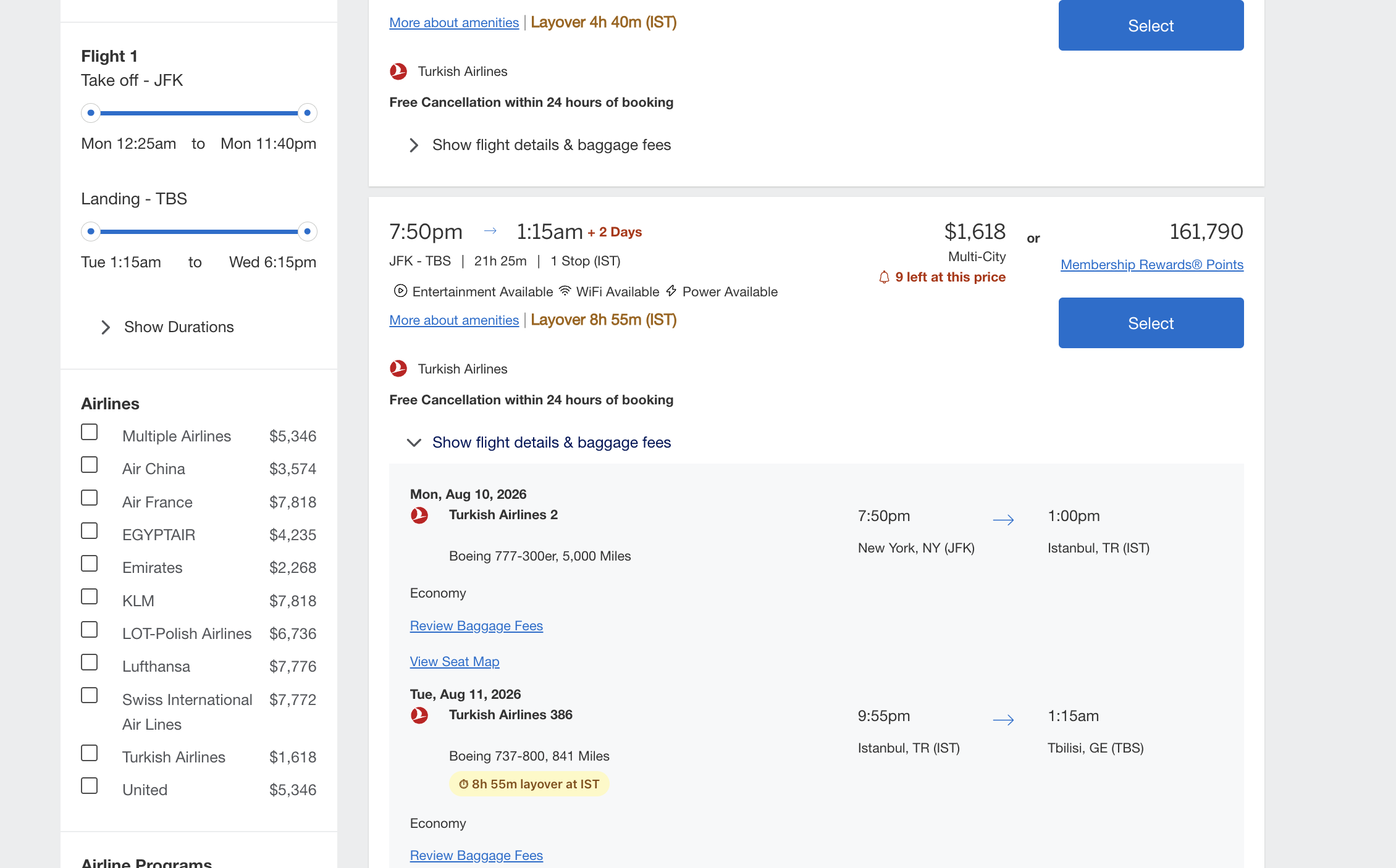
Layovers you can spot in a single glance
Amex Travel finally shows layover duration, but it's small, gray, and easy to miss when you're scanning a dozen results. Amex Layover Display reads the same flight data and paints each layover with severity color — so tight connections jump out instantly and long ones flag before you book.
Color-coded by length
Each layover gets a green, yellow, or red severity pill the moment the page loads. Tight connections under 60 minutes flag red so you can't miss them.
Multi-stop aware
One-stop, two-stop, three-stop itineraries — every layover is shown with airport code and duration, not just the first.
Sorted by shortest layover
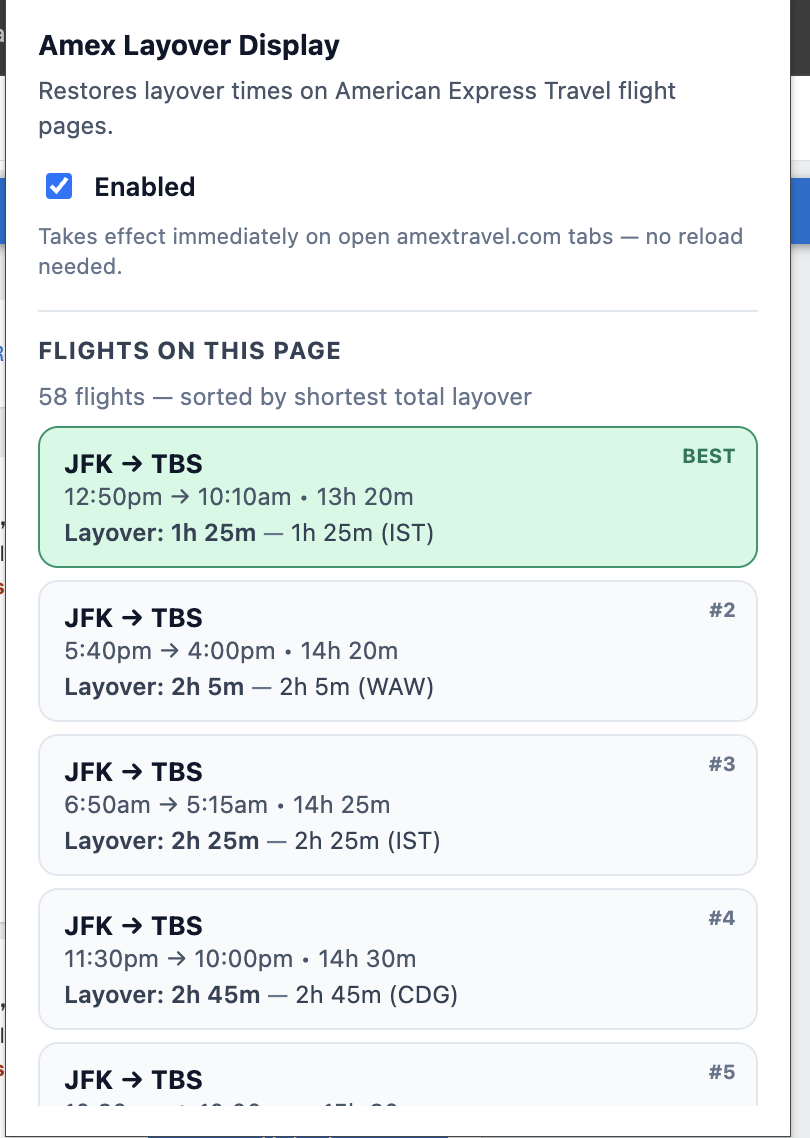
A sidebar panel ranks every flight on the page by total layover time, so the most efficient itineraries jump to the top.
Round-trip & return flights
Works identically on outbound and return segments, including multi-city itineraries with three or more flights.
Trans-Pacific & dateline safe
Handles eastbound and westbound flights that cross the international date line — no more negative or missing layovers.
Review page support
Layover details are also injected into the "Review Your Trip" page, so you can double-check everything before booking.
Privacy-first
All processing happens locally in your browser. Nothing about your searches or itineraries leaves your machine.
Zero configuration
Install it, open Amex Travel, and it just works. One toggle in the popup to enable or disable globally.
Built for frequent flyers
Designed for the people who care about long layovers, tight connections, and which airport they're stuck in.
Layovers, inline with every flight card
Layover details are attached directly to each flight result the moment the page renders — no matter how many stops, no matter whether it's the outbound or return leg.
- Single layovers show duration and airport code
- Multi-stop flights list every layover in order
- Color-coded by length so tight connections stand out immediately
- Matches Amex Travel's existing visual language
A sidebar that ranks every flight on the page
The extension's popup panel gives you a ranked list of every flight on the current search, sorted by shortest total layover — so the best itineraries find you, not the other way around.
- Click a flight to scroll right to it on the page
- See airport codes and durations at a glance
- Instantly toggle the extension on or off per session
- Auto-refreshes as new results load
Install in 30 seconds
No accounts, no configuration. Install the extension, reload Amex Travel, and every layover gets its severity color.
Install from your browser's store
Firefox Add-ons → is live now. The Chrome Web Store version is pending review. It's a normal, signed browser extension either way.
Open Amex Travel
Head to amextravel.com, search for a flight, and
the extension activates automatically on the results page.
Spot tight connections instantly
Every layover gets a color pill on its flight card, and the popup ranks every flight by shortest total layover.
Stop missing tight connections.
Install Amex Layover Display and color-code every layover on Amex Travel — free, forever.